Build the battlefield
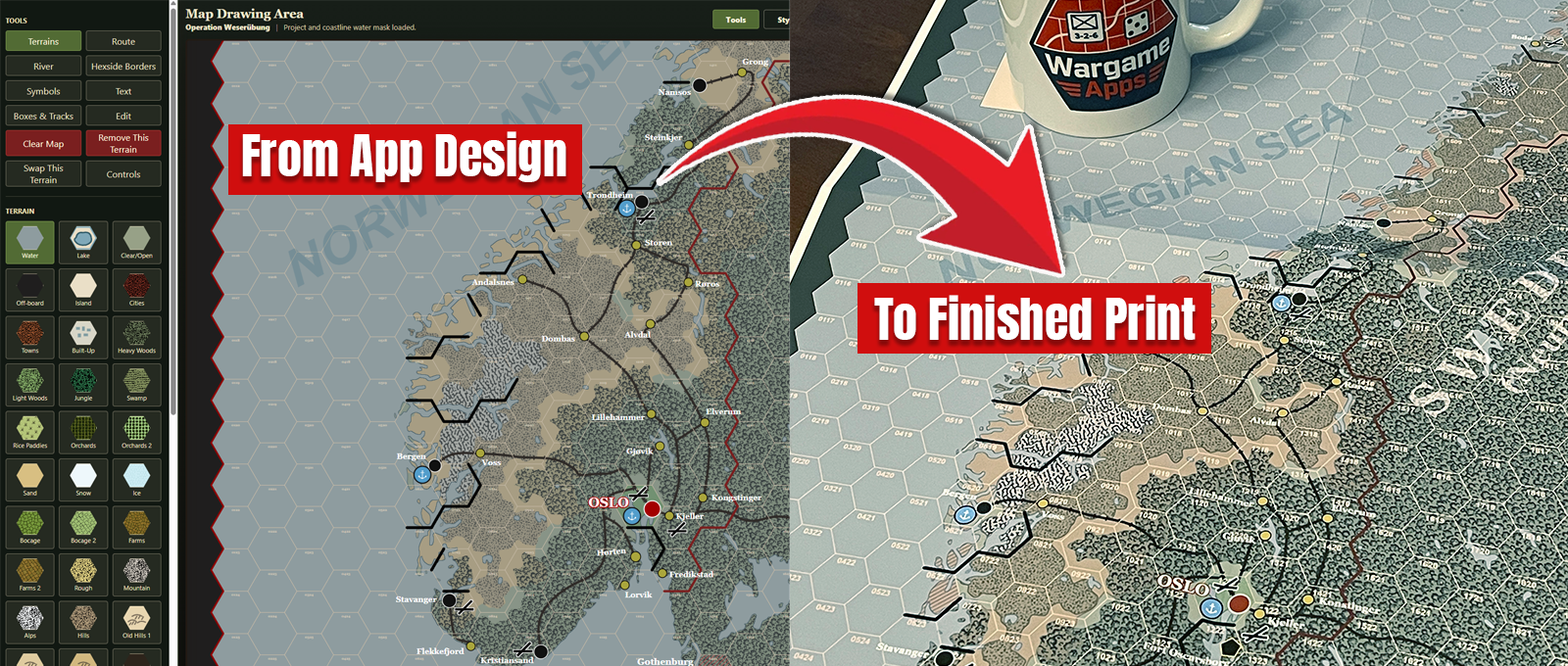
Create a hex map, trace a historical reference, place terrain and routes, then add labels, charts, and scenario information.
Explore Advanced Map Designer Start 14-Day Free Trial
Learn Wargame Design
Practical guidance for creating maps, counters, grids, charts, and print-ready game components with focused browser-based tools.
Start Here
Use one tool or move through the entire process from battlefield concept to printable prototype.
Create a hex map, trace a historical reference, place terrain and routes, then add labels, charts, and scenario information.
Explore Advanced Map DesignerDesign readable unit counters using symbols, silhouettes, ratings, colors, custom artwork, fronts, and backs.
Explore Counter DesignerGenerate precise grids, convert images into silhouettes, export final files, and prepare the pieces for playtesting or publication.
Explore free toolsStraight Answers
Clear answers for designers comparing workflows, platforms, exports, and licensing.
WargameApps is a connected suite of browser-based design tools for creating printable tabletop wargame maps, counters, hex grids, charts, silhouettes, and player aids.
Yes. Advanced Map Designer runs in a compatible web browser and can create detailed hex-based maps for digital use, prototypes, and printing.
Yes. WargameApps works in compatible modern browsers on Windows PCs, Macs, and compatible tablets. There is no traditional desktop application to install.
Yes. Counter Designer creates custom unit counters and printable counter sheets with symbols, silhouettes, text, ratings, colors, imported artwork, and counter backs.
Designer Pro includes commercial-use rights for eligible final PDF, PNG, and SVG exports created while Designer Pro or its trial is active. Review the Personal and Commercial Use Rights for the complete terms.
No. The suite provides purpose-built tools for common wargame design tasks. You can still use exported files in other graphics software when your project needs additional editing.